
One tap
Start, stop, switch, without thinking about it
A tracker only works if using it is cheaper than not using it. Timeness is one tap to start and one tap to switch, so the record stays honest.
Personal time tracker for iPhone
Start an activity, switch with a tap, and read the day back as a clean chart. Your data stays on your device, and it exports to CSV or JSON whenever you need it.
Free to download. No account, no server, no team dashboard.
Currently tracking
Work
1:01:12
Today
Calculators
How it works
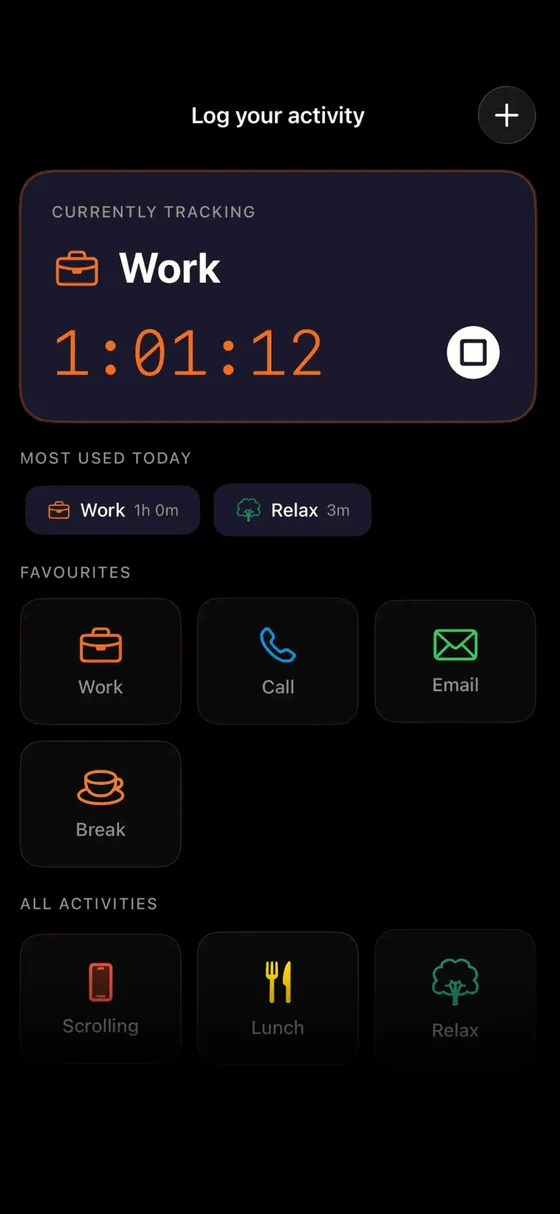
Work, reading, a client, a break. One tap starts it; tapping another activity stops the first and starts the next, so switching costs nothing.
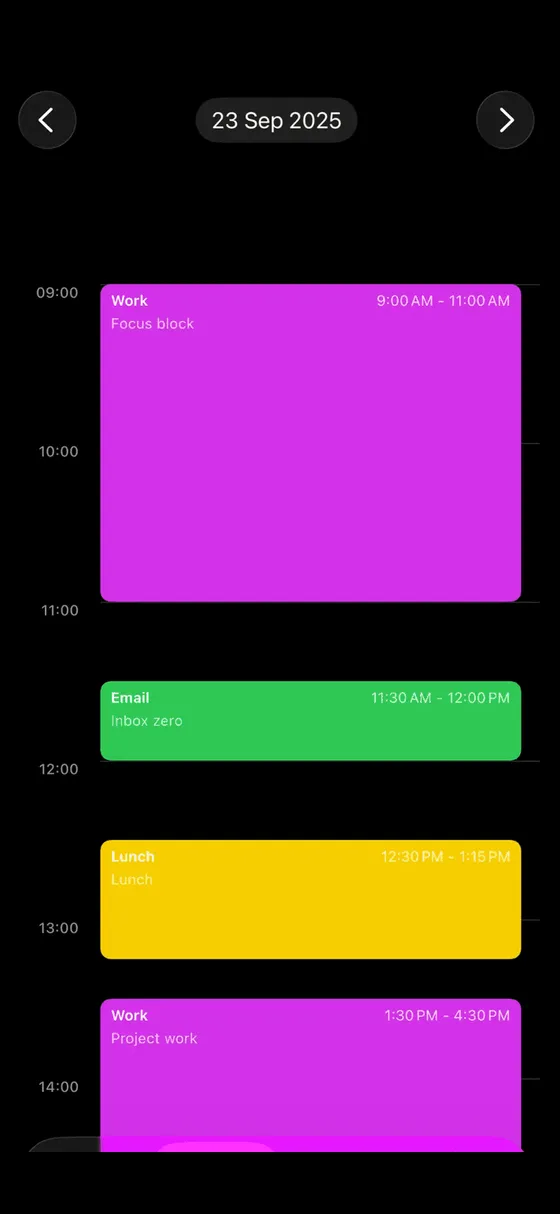
Every session lands on a timeline you can scroll, with the gaps visible. No editing needed, but you can fix a forgotten stop.
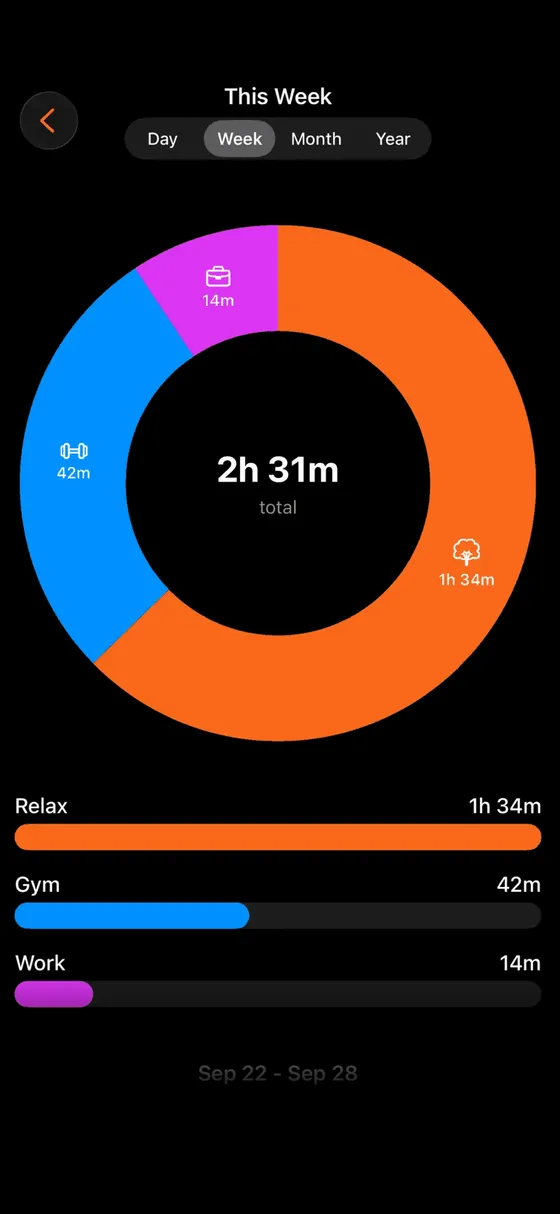
A donut of where the hours went, by day, week or month. Export the numbers as CSV or JSON when you want to look closer.
What is in the app
Everything is built around one rule: the record is only honest if recording is effortless.
A tracker only works if using it is cheaper than not using it. Timeness is one tap to start and one tap to switch, so the record stays honest.
Clean charts that answer one question: where did the time go. Neutral data, no streaks, no scores, no nagging.
Your data is a file you can take anywhere: a spreadsheet, an invoice template, a notebook analysis. Nothing is locked in.
There is no Timeness account and no server holding your hours. Sync between your iPhone and iPad runs through your private iCloud.
An iOS-native design with subtle animation and no configuration. It is a tool you touch twice an hour, not an app you manage.
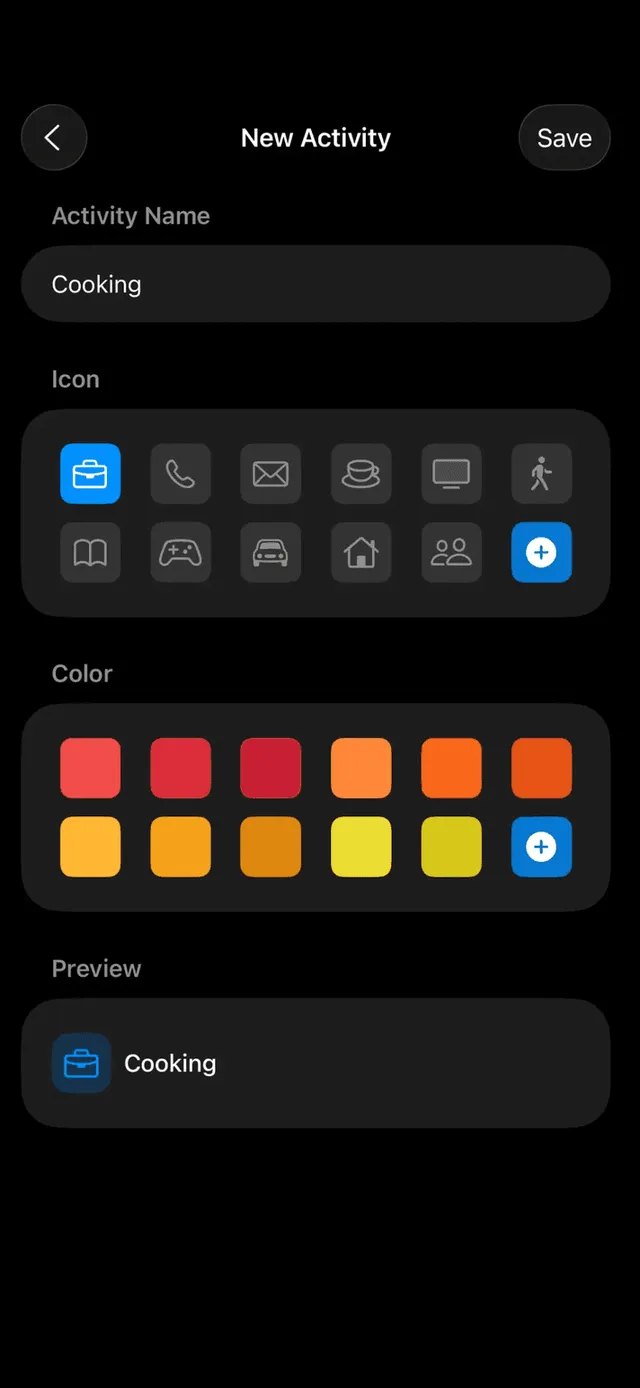
Create your own activities with a name, an icon and a color. Work and rest, projects and clients, deep work and admin: the categories are yours.
Guides
Questions
No. It is a personal tracker for one person: your own activities, your own charts, your own export. There is no team view, nobody else can see your hours and no payroll.
Yes, as the source of truth. Track each client as an activity, export the CSV at the end of the month, and total it with the billable hours calculator on this site or in your own spreadsheet. Timeness does not create invoices itself.
It stays on your device. Sync between your devices runs through your own private iCloud account; there is no Timeness server and no account to create.
Free to download with a set of activities. Premium unlocks unlimited activities.
Free on iPhone. One tap to start, one tap to switch, a chart at the end.
Free to download